Black Blazer Watch Checking AI Photo Prompt
Create a realistic dark studio photo with Gemini AI using your uploaded photograph as the identity reference. This prompt is designed for men who want a refined black outfit, a natural seated pose, and a cinematic studio look without changing their original appearance.
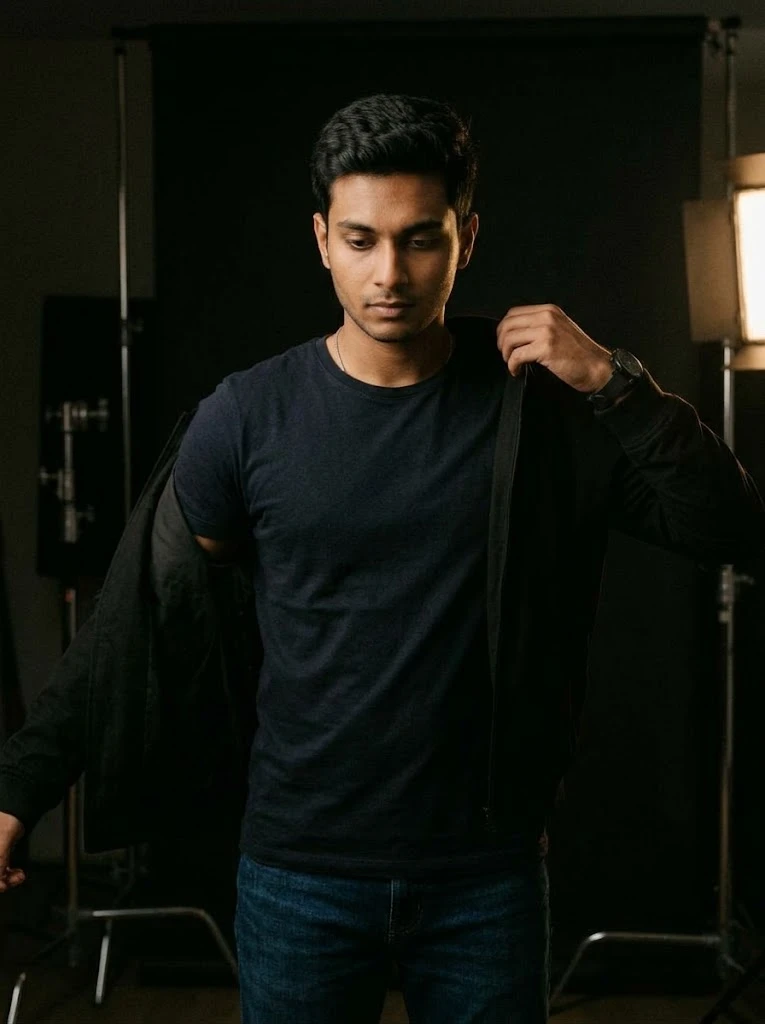
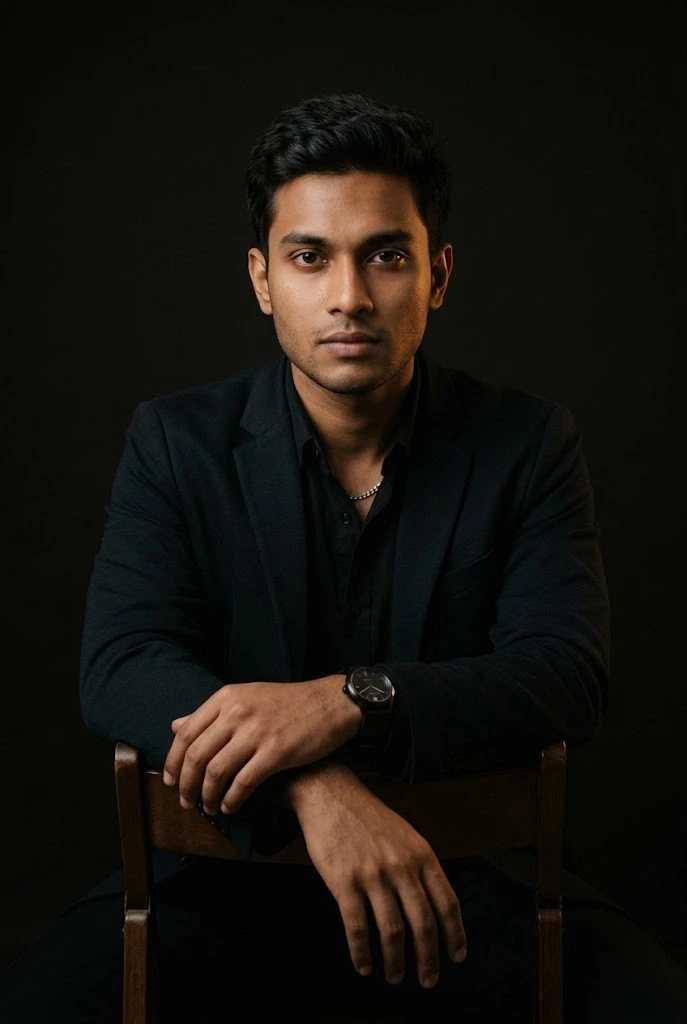
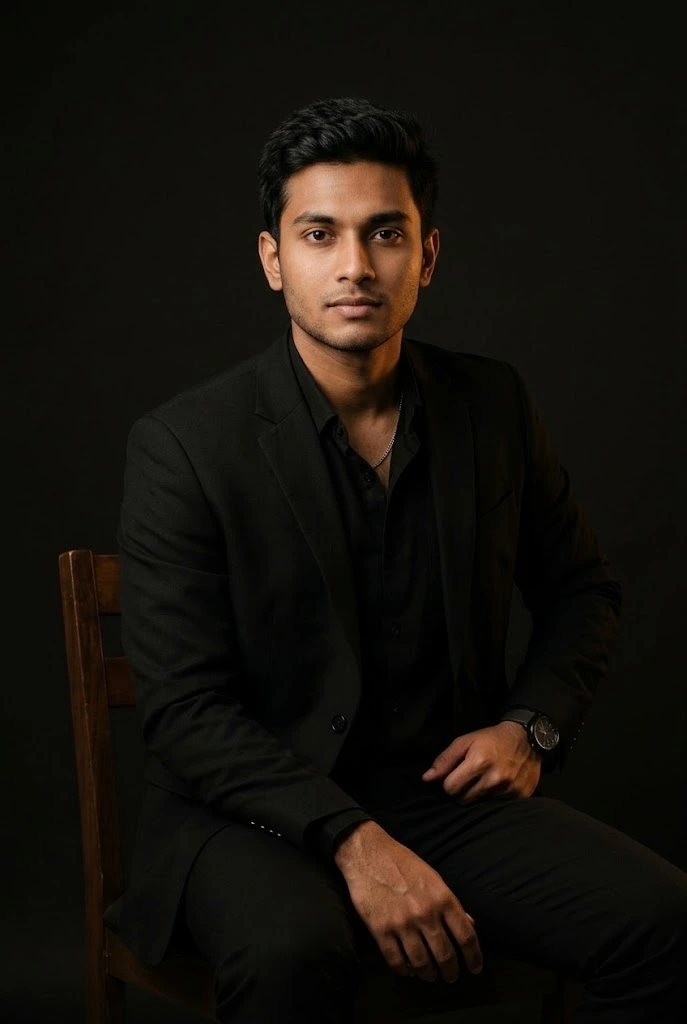
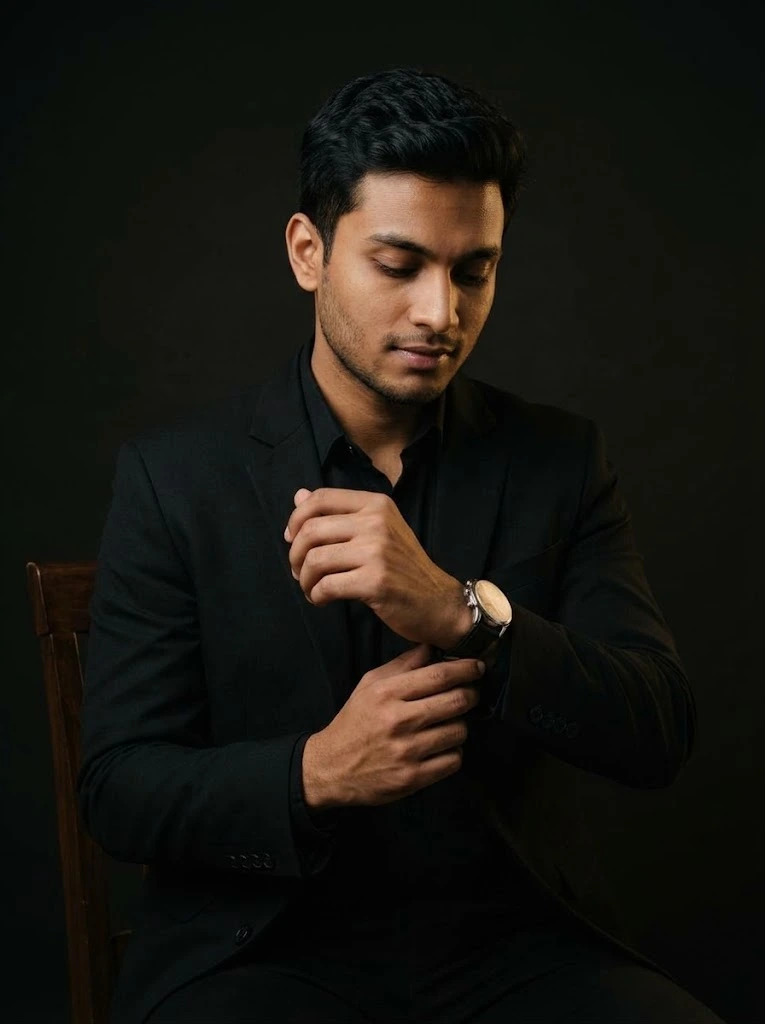
The man sits comfortably on a dark wooden chair, wearing a simple black blazer over a black shirt. Looking down toward his wristwatch, he gently adjusts the strap with his opposite hand. His forearms rest naturally, creating a relaxed, candid moment rather than a staged fashion pose.
Soft, warm side lighting illuminates his face, hands, watch, and clothing against a nearly black studio background. Subtle shadows and realistic fabric textures create depth while keeping the original facial features visible.
The prompt prioritizes the man's original face shape, cheeks, jawline, ears, skin tone, hairstyle, facial hair, apparent age, and body proportions. It also emphasizes natural skin texture, realistic fingers, and correct wrist positioning while avoiding facial swelling, artificial beautification, distorted hands, and excessive contrast.
For the best possible result, use a clear original photo in Gemini and review the generated image for identity accuracy, natural hand placement, and realistic lighting. Results can vary depending on the reference photo and Gemini's image-generation capabilities.
The man sits comfortably on a dark wooden chair, wearing a simple black blazer over a black shirt. Looking down toward his wristwatch, he gently adjusts the strap with his opposite hand. His forearms rest naturally, creating a relaxed, candid moment rather than a staged fashion pose.
Soft, warm side lighting illuminates his face, hands, watch, and clothing against a nearly black studio background. Subtle shadows and realistic fabric textures create depth while keeping the original facial features visible.
The prompt prioritizes the man's original face shape, cheeks, jawline, ears, skin tone, hairstyle, facial hair, apparent age, and body proportions. It also emphasizes natural skin texture, realistic fingers, and correct wrist positioning while avoiding facial swelling, artificial beautification, distorted hands, and excessive contrast.
For the best possible result, use a clear original photo in Gemini and review the generated image for identity accuracy, natural hand placement, and realistic lighting. Results can vary depending on the reference photo and Gemini's image-generation capabilities.
📝 Prompt 1
Create a highly photorealistic, dark cinematic portrait by editing the uploaded photograph. Use the uploaded image as the absolute and exclusive identity reference. The final result must clearly depict the exact same man, not an AI-recreated or beautified version of him.

**1. Absolute Face and Identity Preservation — Highest Priority**

Preserve the man's original face exactly as it appears in the uploaded photograph. Maintain his original facial structure, face width, face length, cheek volume, cheekbone placement, jawline, chin shape, forehead, temples, and natural facial asymmetry.

Keep both ears identical to the original photograph in size, shape, position, visibility, and proportions. Preserve the exact appearance and spacing of his eyes, eyelids, eyebrows, nose bridge, nose width, nostrils, lips, and mouth. Maintain his original hairline, hairstyle, facial hair, skin tone, and distinctive identifying features.

**Do not make his face look fuller, puffier, rounder, wider, heavier, or swollen. Do not enlarge his cheeks, widen his jaw, inflate his lips, broaden his nose, enlarge his eyes, or change the size or position of his ears.** Do not narrow his face either. His facial proportions and natural contours must remain consistent with the reference image.

Preserve his original apparent age exactly. A young-looking man must remain the same age as he appears in the uploaded photo. Do not make him look older, younger, more mature, or artificially youthful.

**2. Original Body and Proportions**

Preserve his original body build, shoulder width, neck thickness, arm size, hand proportions, and overall physique. Do not add muscle, broaden his shoulders, thicken his neck, enlarge his hands, change his weight, or reshape any part of his body. His body must fit his original appearance, even while sitting in the new pose.

**3. Natural Sitting Pose and Watch Adjustment**

Show him sitting comfortably on a dark wooden chair, naturally adjusting the wristwatch on his opposite wrist. His posture should feel relaxed and physically believable, as if captured during a quiet, unposed moment.

His head should tilt slightly downward in a comfortable position while he looks at his wristwatch. Keep the head movement subtle, with his neck aligned naturally with his shoulders. Do not bend his head excessively, twist his neck, or change his facial proportions because of the viewing angle.

One forearm should rest comfortably near his thigh while the opposite hand gently adjusts the watch strap. Keep his fingers correctly shaped, naturally positioned, and proportionate to his original hands. Both wrists and elbows must have realistic anatomical angles. Avoid stiff fingers, fused fingers, distorted hands, exaggerated gestures, and unnatural joint positions.

His expression should remain calm, focused, and relaxed, with a natural closed mouth. Do not force a smile or make him look directly at the camera.

**4. Clothing and Styling**

Dress him in a simple, well-fitted black blazer over a black shirt. The clothing should follow his original body shape without making his shoulders, chest, or arms appear larger. Show realistic fabric texture, natural folds, subtle stitching, and understated highlights. Keep the styling elegant but restrained, without exaggerated luxury accessories or artificial fashion-model aesthetics.

**5. Dark Cinematic Background and Lighting**

Place him against a nearly black studio background with soft, warm directional side lighting. Illuminate his face sufficiently to preserve clear visibility of his original features, including his eyes, nose, cheeks, jawline, and ears. Let the light fall naturally across his hands, wristwatch, and black clothing.

Use balanced exposure, gentle shadows, subtle highlights, and realistic skin tones. Avoid excessive contrast that hides facial details, overly orange skin, crushed shadows, or artificial glossy lighting.

**6. Improve Clarity Without Changing His Face**

Increase photographic clarity, focus, and fine detail while preserving the original facial identity. Maintain natural skin pores, realistic texture, and authentic facial details. Reduce unnecessary blur or image noise only when appropriate.

Do not apply beauty filters, artificial skin smoothing, face enhancement that changes facial geometry, symmetry correction, face reconstruction, or generative replacement of facial features. Do not sharpen the face so aggressively that it looks artificial. Improved clarity must reveal the original face more clearly, never create a different face.

**7. Final Photographic Quality**

The final image should look like a genuine professional photograph of the same man, sitting naturally and adjusting his wristwatch in a dark studio. Keep the composition understated, realistic, and cinematic, with believable anatomy and natural body language.

**Strict Negative Instructions:** No identity change, no face swelling, no puffy cheeks, no rounder or wider face, no altered jawline, no changed ears, no enlarged or reshaped eyes, no altered nose or lips, no age change, no body reshaping, no artificial muscles, no plastic skin, no excessive head tilt, no twisted neck, no distorted fingers, no mannequin-like posture, and no exaggerated cinematic effects.

**Final Priority Rule:** Exact identity, original apparent age, original facial proportions, original body build, and natural anatomy take priority over styling and cinematic effects. If any lighting, pose, or camera angle risks changing his facial appearance, prioritize preserving the original face and keep the pose and lighting subtle.
You May Also Like
Use this prompt :
Google Gemini
How to Use This Prompt
1. Open Google Gemini and upload your original photo.
2. Copy the complete Gemini AI Watch Adjustment Photo Prompt and paste it into the chat.
3. Ask Gemini to generate the image using your uploaded photo as the identity reference.
4. Check that your original face shape, age, hairstyle, facial hair, and body proportions remain consistent.
5. If the hands, wristwatch, or sitting pose look unnatural, ask Gemini to correct those details without changing your face or body.
2. Copy the complete Gemini AI Watch Adjustment Photo Prompt and paste it into the chat.
3. Ask Gemini to generate the image using your uploaded photo as the identity reference.
4. Check that your original face shape, age, hairstyle, facial hair, and body proportions remain consistent.
5. If the hands, wristwatch, or sitting pose look unnatural, ask Gemini to correct those details without changing your face or body.